Mixtube Pro-LyricLoop
- 4.5
- Rating
- 5.00M
- Installs
- Free
- Price

 Analysis by App-foxy
Mixtube Pro-LyricLoop is an entertainment app built around a simple idea: keeping music available when an internet connection is inconvenient. I found its appeal strongest in ordinary situations rather than dramatic ones—commuting through weak coverage, saving data on a limited plan, or preparing a personal listening queue before leaving home. It is free, supports Android devices running version 8.0 or later, and comes from Mixtube Music player. My overall view is positive, but with an important qualification: it makes the most sense for listeners who want a straightforward offline music tool, not for someone looking for a full streaming ecosystem.
The app has reached over a million installs and holds a 4.3 average from around fifteen thousand ratings, which suggests that its basic purpose is easy for many people to understand and use. It is listed for Everyone 10+, and the current release is version 1.8.1. Those details matter less than the day-to-day experience, though. What I liked is that the app’s value becomes clear quickly: music is treated as something to prepare in advance, rather than something that must always be fetched at the moment I press play.
Why the offline approach works so well
The strongest part of Mixtube Pro-LyricLoop is the way it fits into a predictable listening routine. Instead of waiting until I am already on a train, in a basement, or outside reliable coverage, I can arrange music beforehand and use the app when the connection is no longer dependable. That small change in habit is useful because it removes the uncertainty that often comes with online playback.
You May Also Like

 Google Keep - Notes and lists
Google Keep’s Quiet Growth Shows the Appeal of Simpler Notes
As mobile work gets busier, Google Keep keeps winning a simple contest: capture a thought quickly, find it later, and get on with the day.

 Blood Strike: 2.5 Anniversary
Blood Strike’s Loadouts Turn Every Drop Into a Tactical Gamble
A close look at Blood Strike’s custom loadouts: how fast access to signature weapons reshapes its battle royale rhythm, rewards preparation, and narrows the gap between fights.

 Pandora - Music & Podcasts
Pandora’s Music Is Easy to Start, but Harder to Recover
Pandora’s strength is its low-effort path from a seed to a station. Its weak spot is how much confidence it asks you to place in connection, setup, and quiet recovery.

 8 Ball Pool
 Is Built on Rivalries, Rematches, and Routine
A close look at the rivalries, rematches, shared routines, and unanswered safety questions that turn a quick pool match into a persistent mobile community.

 Samsung Music
’s Quiet Strength Is Playing What You Already Own
Its reach comes less from spectacle than from dependable access to a personal library. That simplicity is both the app’s strongest retention engine and its ceiling.

 AccuWeather: Weather Radar
AccuWeather Review: A Quick, Clear Forecast for Everyday Decisions
For everyday plans, the best forecast is the one you can understand quickly. AccuWeather makes rain timing, radar, and local conditions easy to act on, with a few trade-offs.
More From Our News Desk



For a realistic everyday example, imagine leaving for work with a phone that has enough battery for the day but only a modest mobile-data allowance. I would prepare a selection at home, then use the app during the journey without repeatedly loading tracks over cellular data. If the route passes through areas with patchy reception, the listening experience should feel less fragile than a service that depends on a continuous connection. The important benefit is not just saving data; it is avoiding interruptions at exactly the moment I want music to be effortless.
The offline focus also changes how I think about music organization. With a conventional streaming service, I tend to browse endlessly because an enormous catalog is always in front of me. Mixtube Pro-LyricLoop feels better suited to a smaller, intentional collection. I can treat it like a prepared travel bag: choose what I expect to need, then stop searching and listen. That is particularly practical for workouts, long journeys, study sessions, or locations where connectivity is unreliable.
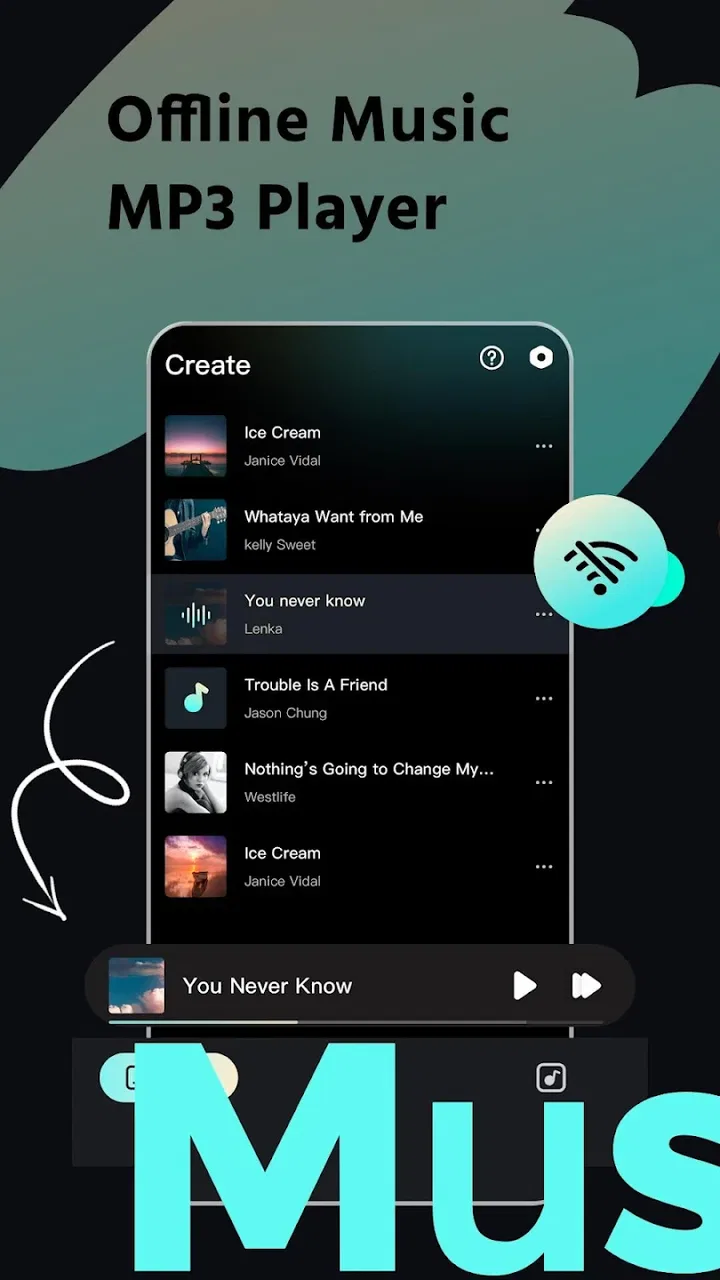
Its store summary presents it as an offline music downloader, an MP3 player that does not require Wi-Fi, and a high-definition music app. I would interpret that promise carefully. The useful takeaway is the combination of downloading and local playback, while the “HD” wording should not be mistaken for a guarantee that every source will sound better than the original audio. Sound quality depends heavily on the file or source being played. The app can be convenient, but it cannot create detail that was never present in the music.
One practical tip is to build separate listening groups around situations, not just genres. A short commute collection, a longer travel set, and a low-distraction evening queue are easier to manage than one oversized library. This approach makes an offline player feel faster because I spend less time scrolling. It also helps prevent the common problem of downloading more music than I will realistically hear.
What makes it different from a normal streaming service
The usual streaming alternative wins when discovery is the priority. Services designed around online catalogs are generally better for finding unfamiliar artists, following constantly changing recommendations, and moving between devices. Mixtube Pro-LyricLoop has a different center of gravity. It is more attractive when I already know what I want to hear and care about dependable local playback.
That distinction is important before installing it. Someone who wants an endless stream of new releases may feel limited by an offline-first workflow. Someone who wants a personal music player that remains useful without Wi-Fi may appreciate the simpler relationship with the library. I would not choose it as a replacement for every music service; I would choose it when connection independence is more valuable than discovery.
Another non-obvious advantage is mental simplicity. Online apps often combine playback with recommendations, social activity, subscriptions, video, and notifications. A focused player can reduce those distractions. For reading, studying, or working, having a prepared queue may be more useful than having thousands of alternatives competing for attention. The trade-off is that the app’s usefulness depends on the quality and organization of the music I make available to it.
There is also a sensible data-management habit worth adopting: download over a trusted connection, then test the saved music before leaving. I would play a few tracks in offline mode rather than assuming that every item is ready. That quick check can reveal an incomplete preparation step before a flight, road trip, or commute. It is a small workflow improvement, but it is exactly the kind of habit that makes an offline app dependable rather than merely promising.
The limitations I would consider first
The main weakness is that the app’s appeal is narrower than the broad category of music apps. If my priority is live discovery, synchronized listening across several devices, or access to a giant online catalog, I would probably prefer a more established streaming platform. Mixtube Pro-LyricLoop is not the obvious choice for every listener because its strongest benefit appears after I have already decided what music I want available.
The downloading concept also deserves responsible use. I would only save music through sources and methods that I am allowed to use. An offline player is convenient, but convenience does not change copyright responsibilities. This is not a reason to reject the app; it is a reason to treat its download function thoughtfully instead of assuming that every piece of online audio is automatically suitable for saving.
Library maintenance may become another point of friction for people with large collections. An offline library needs occasional cleanup: removing tracks I no longer hear, checking available storage, and keeping useful playlists easy to find. The app’s free price makes trying it low-risk, but free does not mean completely effortless. The user still has to make decisions about what belongs on the phone.
I would also avoid expecting the app to replace a dedicated audio-management system for a carefully tagged professional library. If precise metadata control, extensive synchronization, or advanced playback organization is central to your routine, a more specialized player may suit you better. Mixtube Pro-LyricLoop seems aimed at practical listening rather than turning music collection management into a hobby of its own.
Another limitation is the difference between offline playback and offline discovery. Once I am disconnected, the app can be valuable if my music is already prepared, but it cannot offer the same spontaneous exploration as an online catalog. That is why I recommend planning a little. The app rewards users who think ahead; it is less satisfying for people who choose every next track from whatever happens to be trending or recommended at that moment.
Who should install it, and who should skip it
I think Mixtube Pro-LyricLoop is a strong fit for students, commuters, travelers, and anyone who regularly deals with unstable connections. It is also useful for listeners who want to control mobile-data use without giving up music during the day. Because it is free, it is easy to test as a secondary player even if I already use another service for discovery.
It may appeal especially to people who prefer a deliberate collection. If I have a set of albums, playlists, or MP3 files that I return to often, an offline player can make those choices feel more accessible. The best experience comes from preparing a compact library that reflects real routines rather than trying to copy an entire music universe onto the phone.
I would be more cautious about recommending it to someone who wants one app to handle every part of modern music listening. If you expect automatic recommendations, a constantly refreshed online catalog, or a seamless cloud-based experience across multiple devices, this may feel too limited. In that case, a full streaming service is likely the better primary option, while this app could still serve as a backup for offline listening.
Parents and younger users should also pay attention to the Everyone 10+ content classification and use normal judgment about the music being accessed. The age label is useful context, but the actual suitability of downloaded or played material can vary. The app should be treated as a music tool, not as a guarantee that every available track will match every family’s preferences.
For Android users with older phones, the minimum requirement of version 8.0 or later is reasonably approachable. I would still check that the device has enough free storage before building a large offline collection. Storage is an easy detail to overlook, and it can matter more than the player itself when saving many audio files.
My practical way of using the app
If I were setting it up for regular use, I would begin with a small test collection rather than downloading everything immediately. I would choose music for one specific situation, save it, switch off the connection, and confirm that playback works as expected. This gives me a clear sense of how the app fits my routine before I invest time in organizing a larger library.
After that, I would create collections based on duration and purpose. A short group for a quick trip is more useful than a playlist that takes hours to browse. A longer travel selection can include variety, while a concentration queue should be predictable and easy to start. This is a concrete advantage of thinking like an offline listener: the question changes from “What can I play?” to “What will make this particular situation better?”
I would also keep a little space free on the phone instead of filling all available storage with music. Offline access is valuable, but not if it makes the device difficult to use for photos, updates, or other important files. Periodic cleanup is simple: remove tracks that have not been played for a while, retain favorites, and refresh collections before a planned trip.
For sound, I would judge the app using familiar tracks rather than unfamiliar ones. Familiar music makes it easier to notice whether the playback feels clean, whether volume levels vary between files, and whether the selected files themselves are good quality. The app’s high-definition positioning is best understood as an emphasis on capable playback, not as a substitute for choosing well-produced audio.
One further trade-off is convenience versus control. A prepared offline library gives me control over what plays and when, but it asks me to do more preparation than a streaming service. I see that as a fair exchange for connection independence. People who dislike organizing music may experience the preparation as work; people who dislike buffering and data usage may see it as a worthwhile one-time task.
My verdict after weighing the trade-offs
Mixtube Pro-LyricLoop succeeds because it concentrates on a real problem: music is less enjoyable when playback depends on a connection that may disappear. Its free access, offline-oriented workflow, and support for Android 8.0 and newer make it approachable for a broad range of users. The 4.3 average and more than a million installs also show that the concept has found a substantial audience, although popularity alone should not replace personal testing.
My recommendation is specific rather than universal. I would suggest it to a friend who wants a simple offline music companion, especially for travel, commuting, or limited data. I would not suggest replacing a favorite discovery-focused streaming service with it if recommendations and online variety are the main reasons that service is useful. The two approaches solve different problems.
The developer, Mixtube Music player, has positioned the app in the entertainment space with the short store label “Mixtube Pro.” In practice, I see the product less as an all-purpose music universe and more as a practical listening tool. That narrower identity is a strength when it matches the user’s needs, but a weakness when expectations are broader.
My final take: choose it for prepared, connection-free listening, not for endless discovery. If you are willing to organize a personal offline collection and respect the rights attached to the music you save, the app can make everyday playback calmer and more reliable. If you want the app to decide what to play next, constantly introduce new content, and manage a cloud-based music life automatically, another category of service will serve you better.
FAQs for Mixtube Pro-LyricLoop
01What is Mixtube Pro-LyricLoop and what makes it unique?
Mixtube Pro-LyricLoop is an innovative music application that allows users to create personalized playlists with seamless lyric integration. Unlike other music apps, it features a unique LyricLoop function that repeats specific song sections with synced lyrics, perfect for language learning or karaoke enthusiasts. This feature enhances user interaction and enjoyment.
02Is Mixtube Pro-LyricLoop available for both Android and iOS?
Yes, Mixtube Pro-LyricLoop is available for both Android and iOS platforms. Users can download the app from the Google Play Store or Apple App Store, ensuring accessibility across a wide range of devices. This cross-platform availability ensures that users can enjoy their music seamlessly on the go.
03Does Mixtube Pro-LyricLoop require a subscription or is it free to use?
Mixtube Pro-LyricLoop offers both free and premium subscription models. The free version provides basic features, while the premium subscription unlocks advanced functionalities like ad-free playback, enhanced LyricLoop options, and offline listening. Users can choose the plan that best suits their needs and budget.
04How user-friendly is Mixtube Pro-LyricLoop for new users?
Mixtube Pro-LyricLoop is designed with a user-friendly interface, making it accessible even for beginners. The app features intuitive navigation, with easy-to-follow tutorials that guide users through creating playlists and using the LyricLoop function. Its clean design ensures a smooth user experience from the start.
05Can I use Mixtube Pro-LyricLoop without an internet connection?
Yes, Mixtube Pro-LyricLoop offers offline listening for premium subscribers. After downloading your favorite tracks, you can enjoy them without an internet connection. This feature is particularly useful for users who travel frequently or have limited data plans, ensuring music is always accessible.
Pros
- User-friendly interface for easy navigation.
- High-quality audio streaming available.
- Extensive music library with diverse genres.
- Ad-free listening experience enhances enjoyment.
- Customizable playlists for personalized sessions.
Cons
- Limited offline download options available.
- Occasional app crashes disrupt playback.
- Subscription required for premium features.
- No integration with popular social media.
- Lacks support for multiple languages.

Mixtube Pro-LyricLoop
Gallery